Voice Expense Logging: Track Costs Without Typing
You are on a ladder with a fistful of screws and a coil of wire. You are driving from one job to the next with a coffee in one hand. You just paid cash for a load of lumber and your gloves are still on. In every one of those moments, the honest truth is the same: you are not stopping to open an app, find the right field, and type in a dollar amount. So the expense does not get logged. It gets forgotten, or it gets scribbled on the back of an invoice that ends up in the truck console for three weeks.
That is not a discipline problem. It is a friction problem. Typing on a phone with your hands full, or dirty, or busy driving, is genuinely hard to do — so most contractors just do not do it in the moment, and "in the moment" is the only time an expense reliably gets captured. Voice expense logging exists to close that gap. You talk, the app listens, you check it and tap save, and the expense lands on the job.
How voice-to-expense actually works
Open Job Cost Pro, tap the mic, and say what happened — the same way you would tell your foreman. "Bought a hundred and forty dollars of lumber at Home Depot for the Wilson job." You check what it heard and tap save. No menus, no dropdowns, no typing a vendor name letter by letter with your thumb.
Behind that one sentence, the app is doing real work. It is not just transcribing your words and dumping them into a notes field — it is pulling out the pieces of an expense record and filling them in: who you paid, how much, what it was for, and which job it belongs to. Say "forty bucks for gas, put it on the Miller kitchen" and you get a $40 fuel expense to check and confirm on the Miller kitchen job, sitting in your job costs, no different than if you had typed every field by hand.
This lives right alongside the receipt scanneras one AI capture system — two doors into the same room. Got a paper receipt in your hand? Snap a photo and AI reads the vendor, the line items, and the total off it. Paid cash, or the receipt is already crumpled in the bottom of a five-gallon bucket, or your hands are full? Say it instead. Either way, the expense lands in the job's running total and the margin updates in real time — you are not waiting until Sunday night to find out the job slipped.
What to actually say
You do not need a script. Say it the way you would tell a person standing next to you. The app is built to pull the amount, the vendor, and the job out of ordinary speech, not a rigid command format. A few real examples of what that sounds like:
- "Eighty-five dollars at Lowe's for the Thompson bathroom, that's materials."
- "Paid the plumber two hundred cash on the Garcia remodel."
- "Twelve dollars, fuel, put it on overhead."
- "Three hundred and twenty for the dumpster rental on the Sanders job."
The more you naturally include — vendor, amount, job name, what the cost was for — the less you have to confirm afterward. Leave something out and the app asks, or files it under a sensible default you can fix in two taps. Either way, the cost is captured the second it happens instead of the second you finally get around to it.
English and Spanish, because job sites are
Voice capture works in English or Spanish. That matters because a lot of real construction crews run bilingual — the guy buying the materials, the foreman calling in a cost, the sub paying cash for a permit, might be more comfortable speaking Spanish than typing in English on a tiny keyboard. A tool that only works in one language quietly loses the costs that the other half of the crew is trying to report. Say it in whichever language is natural and it gets logged the same way, on the same job, in the same running total.
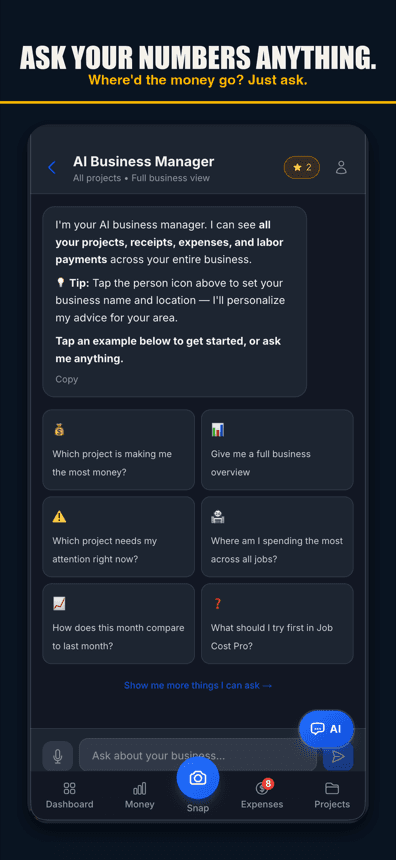
AI capture, from a sentence to a logged expense
Why this is different from just talking to your phone
Plenty of phones can transcribe speech to text. That is not the same as an expense landing on the right job with the right amount and the right category, ready to show up in that job's cost report. The difference is what happens after you stop talking — whether the app understood you were reporting a cost, pulled out the dollar figure, and knew which project it belonged to. Voice-to-text gives you a sentence. Voice expense logging gives you a job cost.
That is also why this is not a gimmick feature bolted onto a job costing app — it is the same job costing engine our job-costing guidewalks through, just with a second front door. A receipt you snap and an expense you speak both end up as the same kind of record: tagged to a job, categorized, counted against that job's budget the moment it lands.
The moments this actually saves
| The moment | Typing it in | Saying it out loud |
|---|---|---|
| On a ladder, hands full | Climb down, set down materials, unlock phone, type | Tap the mic, say it, keep working |
| Driving between jobs | Pull over, or don't log it at all | One sentence at a stoplight, no typing |
| Gloves on at the supply counter | Peel off a glove, fumble the keyboard | Talk while you load the truck |
| Paid cash, no receipt | Try to remember the number later, or never | Log it the second you hand over the cash |
None of those rows are edge cases. That is a normal Tuesday for most remodeling and service crews. The receipts you actually lose are never the big supply-house invoice — those get entered because someone eventually notices a missing few thousand dollars. The ones you lose are the small, awkward-timing costs: the twelve-dollar fuel stop, the cash tip to the dumpster driver, the forty-dollar fitting run. Voice logging exists for exactly those, because it removes the only reason they were skipped in the first place — that typing them in was inconvenient.
What happens to the job's numbers
Every voice-logged expense counts the same as a scanned receipt or a manually entered line: it hits that job's cost total immediately, and the job's profit and margin so far update with it. If a job is drifting off budget, you see it while there is still a job left to correct — not three weeks later when the invoice is already sent and the margin is whatever it turned out to be. That real-time view is the whole point of Job Cost Pro: cost capture that happens where the cost happens, so the numbers on the job screen are the truth, not a guess you will true up at tax time.
Getting started
Voice-to-Expense is in the free tier — 3 projects, 50 receipts a month, full AI scanning and voice capture included, no credit card. If you already run receipts through the app, voice logging is the same job, the same categories, the same running total — just a second way in for the moments a camera and a keyboard are not an option.
Job Cost Pro is free on the App Store — 3 projects, 50 receipts a month, full AI scanning. No credit card. Get it here.
Track your next job with Job Cost Pro
Scan receipts, confirm the suggested job, and see your recorded costs against your budget. Start with the free plan in your browser or get the iPhone app.
Free plan available. Some features require a paid plan.
FAQ
What is a voice expense tracking app?
An app that lets you speak a cost out loud instead of typing it — you say the vendor, amount, and job, it pulls out the expense, and you check it and tap save, without opening a form or a keyboard.
How do I log an expense by voice in Job Cost Pro?
Tap the mic and say it in a normal sentence, like "Eighty-five dollars at Lowe's for the Thompson bathroom." The app pulls out the vendor, amount, category, and job — you check it and tap save, no typing. Voice works in browsers with speech input, like Chrome and Safari, and in the iPhone app on version 1.0.8 or newer.
Does voice expense logging work in Spanish?
Yes. Voice capture works in English or Spanish, so crew members who are more comfortable speaking Spanish can log a cost the same way, in the same running total, without switching to a language they would rather not type in.
Is voice expense logging free?
Yes — Voice-to-Expense is part of Job Cost Pro's AI capture, included on the free tier along with 3 projects, 50 receipts a month, and full AI receipt scanning. No credit card required. Voice works in browsers with speech input, like Chrome and Safari, and in the iPhone app on version 1.0.8 or newer.
What is the difference between voice expense logging and just dictating a note?
Dictation gives you a transcribed sentence you still have to turn into an expense yourself. Voice expense logging pulls the vendor, amount, category, and job out of what you said and creates the actual logged expense on that job — the sentence becomes a job cost, not just text.
Can I use voice logging and the receipt scanner together?
Yes, they are two entry points into the same system. Snap a photo when you have a paper receipt in hand; say it out loud when your hands are full, you paid cash, or typing is not practical. Both land on the job the same way.