Top 10 Job Cost Pro Features Every Contractor Should Know
There are a lot of apps that say they do job costing. Most of them are a spreadsheet wearing a nicer shirt — you still have to sit down at the end of the week and type everything in from memory. Job Cost Pro was built to fix the actual failure point: the receipt that never gets written down. Below are the ten features that do the most work toward that, in plain language, with the pricing tier each one belongs to.
I closed a $42,000 bathroom remodel in Fort Worth in 2024 thinking I had made about 30% margin. Three months later my accountant found the real number: 12%. The gap was $7,500 in receipts I never wrote down — lumber, fixtures, two Home Depot trips I paid for out of pocket and forgot about. The job did not lose money. A third of my profit just quietly disappeared because nothing captured the cost the moment it happened. Every feature below exists because of that job.
None of these ten are gimmicks bolted on to look good in an app store listing. Each one solves a specific way contractors lose track of money on a real job — the receipt that never gets written down, the hour that never gets logged, the invoice that takes a week to go out because it has to be rebuilt by hand. Read through all ten and you will notice they connect to each other: the receipt scan feeds the live margin, the auto clock-in feeds the labor cost, and the QuickBooks export is just the last step of a chain that started the moment you snapped a photo at the supply house.
1. AI receipt scanning
Take a photo of a receipt and the app reads the store, the line items, and the prices, then suggests the right project when the receipt names it (or you scan at the jobsite); one tap confirms it. You are not typing anything in — you are confirming a match and moving on. This is not a stripped-down demo on the free plan either: full-quality AI scanning is included at $0/mo, not held back for a paid tier. It does not just read the total either — it pulls out individual line items, so a single Home Depot run for three different materials can get sorted into the right cost categories instead of landing as one lump "materials" charge that tells you nothing when you go back and look at where the money went. If receipt capture is the part of your week you dread most, the receipt scanner for contractors page goes deeper on how the capture side works end to end.
2. Per-job profit and margin from costs recorded so far
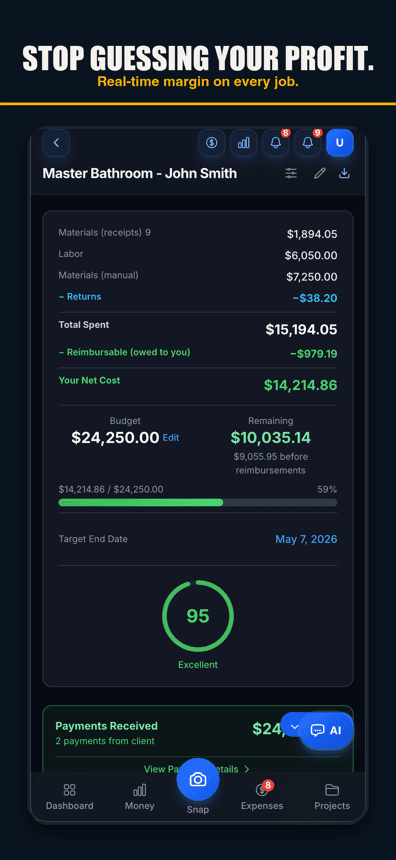
This is the feature that would have saved me that $7,500. Every project in Job Cost Pro carries a running margin number that updates as costs come in — not a number your accountant hands you once a quarter after the job is long closed. Snap a receipt on a Tuesday afternoon and the job's margin moves on a Tuesday afternoon. You find out a job is going sideways in week two, while you can still do something about pricing the next change order, instead of finding out at tax time. See the full case for why this matters on the construction profit tracking app page.
The math itself is not complicated — contract price minus every logged cost equals margin. What is hard is keeping the cost side honest in real time, which is exactly the piece a quarterly P&L cannot do for you, because it pools every job together into one company-wide number. A job screen that shows a live 95% health score or a margin ticking down after a bad materials week gives you the same information your accountant would give you, three months earlier, while you can still price the next change order to fix it.
A job's margin, updating as the receipts come in
3. Batch receipt scanning
Some weeks you do not get to the supply house once — you get there three times, and by Friday there is a stack of receipts in the truck console. Batch scanning lets you photograph the whole stack at once instead of opening the app, scanning one, closing it, and repeating. It is a small feature that solves a real Friday-afternoon problem: the pile of receipts that never gets entered because entering them one at a time felt like too much. Load the whole stack in at once when you get back to the truck, or once a week, let the AI sort each one to its job, and confirm the batch — the same result as entering thirty receipts one by one, in a fraction of the time it would take to do it that way.
4. Receipt splitting
Pro tier and up ($29.99/mo). Anyone who runs more than one job at a time knows this run: you are at the supply house buying lumber for two projects because it saved you a second trip, and now you have one receipt that belongs to two jobsites. Receipt splitting lets you divide a single receipt across multiple jobs — by line item or by percentage — so the cost lands where it actually belongs instead of getting dumped entirely on whichever job you happened to tag first. Without this, that one habit of combining supply runs quietly wrecks the accuracy of two jobs' numbers at once.
5. Voice-to-expense
Say the expense out loud, in English or Spanish, and the AI logs it — no typing, no photo, nothing to fumble with while you are holding a piece of drywall. This one matters more than it sounds like it should, because the receipts that get lost are almost never the big ones. They are the $12 fitting bought with both hands full, where pulling out a phone to type anything in just does not happen. Voice capture removes the excuse.
The Spanish support matters here in a way it does not for the other features. A lot of crews run bilingual, and the person actually buying the fitting or the box of screws is not always the person who is comfortable typing an expense report in English. Being able to say it in whatever language is natural in the moment means the expense gets logged instead of getting held for later — and "later" is where receipts go to die.
6. GPS geofence auto clock-in and clock-out
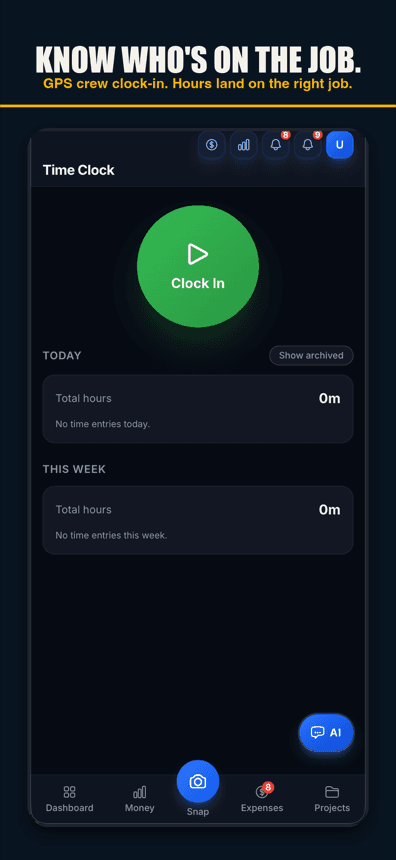
Contractor tier and up ($49.99/mo). When a crew member's phone crosses onto the jobsite, a one-tap prompt clocks them in — confirm and it's done, no typing, no digging for the app. The same tap closes it out on the way off site. That is the default. There is also opt-in automatic clock-in (Contractor and up): after a one-time location disclosure, arrival clocks in and a notice with a two-hour undo follows, so a wrong event can still be corrected. Either way: no "I forgot to clock in again," no arguing about hours at the end of the week. For a crew of a few guys running between two or three sites a day, this alone can be worth more than the subscription — labor is usually the biggest cost on any job, and it is the cost most contractors track the loosest. It also removes the awkward conversation nobody wants to have — arguing over whether someone actually clocked in at 7:00 or 7:20. The phone settles it, and it feeds straight into the job's live labor cost instead of getting reconstructed from memory on a Friday.
One tap clocks the crew in and out, GPS-fenced to the jobsite
7. Invoicing from your phone
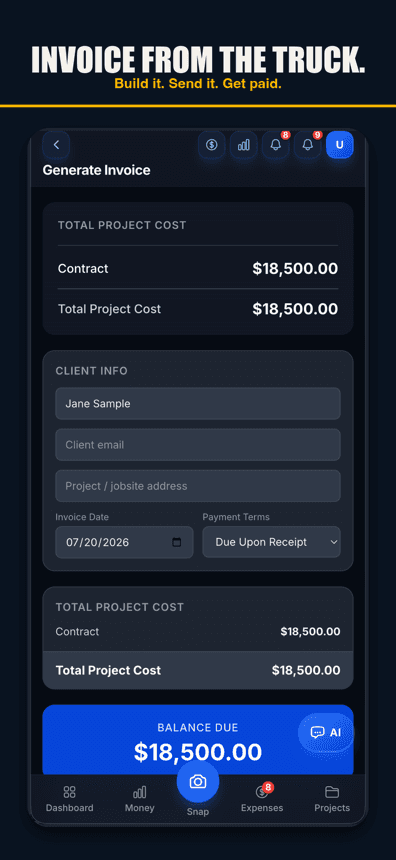
Pro tier and up. Build and send a professional invoice from your phone, right from the job that generated it, and your client gets a page where they can view it, with your bank or check details for paying you — no separate invoicing software, no exporting numbers into a template by hand. If you bill cost-plus, this is where the connection to job costing actually pays off: the invoice is built from the real costs already tracked on the job, not a guess you reconstruct after the fact.
An invoice built from the job's real costs, sent from the phone
8. Team and payroll tools
Contractor tier. Manage your crew, set individual pay rates, and track hours against the clock-in data — all from the same app that is already tracking the job. The point is not adding another system to manage; it is that the labor cost showing up in a job's live margin comes straight from the hours your crew actually worked, not a number you estimated at the start of the job and never revisited. For crews with subcontractors, the tax package (every plan) includes a 1099 summary — each worker or sub at or above the 1099 reporting threshold, with totals (check the threshold for your payment year) — so the January list for your accountant is a download instead of twelve months of bank statements. It is a list, not a filed form.
9. Free iOS app, and it works on the web too
Job Cost Pro is a real app on the App Store (id 6764372462), free to start, and it also runs on the web on any phone or computer. You do not need a crew full of the latest iPhone to make this work — anyone on the job can pull it up in a browser. Start with the job costing app for contractors overview if you want the full picture of how it fits into a day on the job, or go straight to the download.
10. QuickBooks export
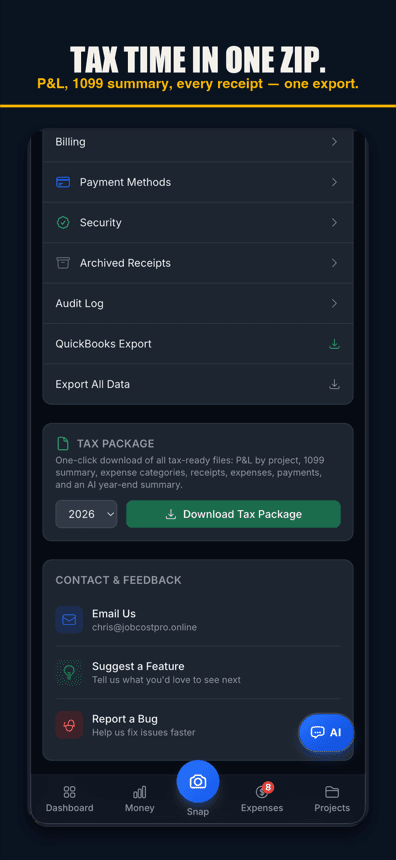
Pro tier and up. One tap in Settings gets you a QuickBooks-ready CSV for QuickBooks Online, an IIF file for Desktop, or a full ZIP bundle with the transactions file plus every receipt image and invoice PDF attached — job-tagged and ready to hand to a bookkeeper. Instead of a month-end pile of paper, your bookkeeper gets one clean file with the job already labeled on every line.
One tap turns a month of receipts into a bookkeeper-ready file
What each tier actually includes
A few of the features above only unlock at certain tiers. Here is the full breakdown, with nothing rounded off:
| Tier | Price | What you get |
|---|---|---|
| Free | $0/mo | 3 projects, 50 receipts/mo, full AI scanning, 1 tax export/year, 10 AI chat messages/mo. |
| Pro | $29.99/mo ($299.99/yr) | Adds receipt splitting, invoice sending, and the QuickBooks export. |
| Contractor | $49.99/mo ($499.99/yr) | Adds opt-in automatic clock-in/out (one-tap GPS clock-in is on every plan), plus team and payroll tools. |
Which features actually move the needle for a small crew
If you run one or two jobs at a time solo, the free tier's AI scanning and live margin tracking will already put you ahead of a spreadsheet you update once a week. The moment you add a crew, the Contractor tier's payroll tools and opt-in automatic clock-in tend to pay for themselves within the first month, because labor tracking is where most contractors lose the most unrecorded time and money. The QuickBooks export sits a tier lower, on Pro, so month-end bookkeeping is not what you are buying the crew tier for. Receipt splitting and invoice sending on Pro matter most if you are running multiple active jobs and billing cost-plus — that is where a single supply run or a single invoice touching two jobs starts to matter.
Job Cost Pro is free on the App Store — 3 projects, 50 receipts a month, full AI scanning. No credit card. Get it here. Built by a Fort Worth contractor. For contractors.
Track your next job with Job Cost Pro
Scan receipts, confirm the suggested job, and see your recorded costs against your budget. Start with the free plan in your browser or get the iPhone app.
Free plan available. Some features require a paid plan.
FAQ
What is the best feature of Job Cost Pro?
For most contractors it is per-job profit and margin from the costs recorded so far — the number updates as receipts and hours come in instead of showing up once a quarter from the accountant, so a job going sideways gets caught in week two, not at tax time.
Is AI receipt scanning free in Job Cost Pro?
Yes. Full-quality AI receipt scanning is included on the free tier — 3 projects and 50 receipts a month, no credit card required. It is not a degraded trial version of the paid feature.
What is receipt splitting and which plan includes it?
Receipt splitting divides one receipt across multiple jobsites — for the trips where you buy materials for two projects in one supply-house run. It is included on the Pro tier and up, at $29.99/mo.
Does Job Cost Pro auto clock my crew in and out?
By default, crossing the jobsite boundary sends a one-tap confirm prompt to clock in or out, on every plan. On the Contractor tier ($49.99/mo) and up, a crew member can opt in to automatic clock-in instead: after a one-time location disclosure, arrival clocks in and a notice with a two-hour undo follows, with departure landing within about an hour of when the crew member actually left.
Can I export my receipts to QuickBooks from Job Cost Pro?
Yes, on the Pro tier and up. One tap in Settings produces a QuickBooks Online CSV, a Desktop IIF file, or a full ZIP bundle with the transactions file and every receipt image attached, job-tagged and ready for a bookkeeper.
Do I need to download an app to use Job Cost Pro?
No. Job Cost Pro is a real app on the App Store (id 6764372462) if you want it on your phone, but it also runs on the web on any phone or computer — nobody on the crew has to install anything to use it.
How much does Job Cost Pro cost?
Free at $0/mo (3 projects, 50 receipts a month, full AI scanning), Pro at $29.99/mo ($299.99/yr), and Contractor at $49.99/mo ($499.99/yr).